1. Project Motivation
- Beyond Photorealistic Images: Move from PBR rendering to NPR by utilizing a filter.
- Silhouette Integrity: Prevent the “smearing” effect common in NPR by preserving crisp object contours via geometry data.
- Address Filter Drawbacks: Reduce block artifacts and temporal flickering.
- Advanced Methods: Investigate Anisotropic Kuwahara in a 3D context.
- Stability & Coherence: Achieve temporal stability for interactive applications.
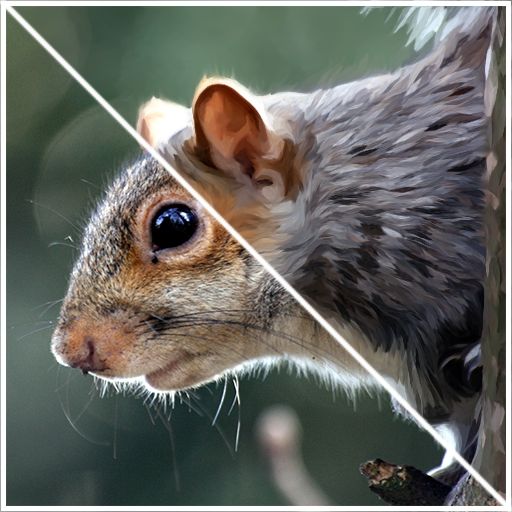
2. Literature Review: Standard Kuwahara Filters
Definition A non-linear smoothing filter for adaptive noise reduction in digital image processing.
Key Advantage Smooths images while explicitly preserving sharp edges, overcoming linear filter limitations.
Origins (1976) “Processing of RI-angiocardiographic images” Developed by Dr. Michiyoshi Kuwahara for medical imaging of dynamic heart muscles.
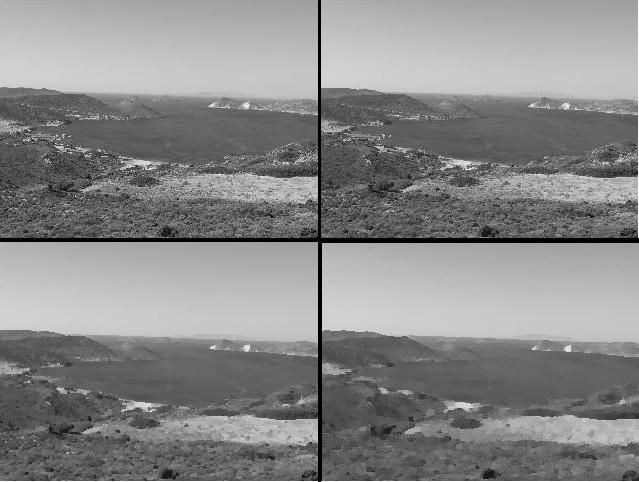
2. Literature Review: Standard Kuwahara (Cont.)
Core Mechanism
- Window Selection: Employs a sliding square window around a target pixel.
- Subregion Division: Divides into four smaller, slightly overlapping subregions.
- Statistical Analysis: Computes arithmetic mean and standard deviation for each.
- Homogeneity Check: Identifies the subregion with the lowest standard deviation.
- Pixel Assignment: Assigns the central pixel the mean value of that subregion.
- Edge Preservation: Prevents blending across boundaries.
2. Literature Review: Standard Kuwahara (Cont.)
Special Handling for Color Images
- Cannot be applied to RGB separately (causes severe color artifacts).
- Requires conversion to HSV color space.
- Evaluates standard deviation exclusively on the “Value” (brightness) channel.
Drawbacks & Limitations
- Susceptible to noise ambiguities.
- Prone to generating unnatural block artifacts in highly textured areas due to its rigid rectangular subdivision.
3. Literature Review: Anisotropic Kuwahara
Limitations of Standard Filter Unstable in the presence of noise and suffers from prominent block artifacts.
Anisotropic Approach Adapts shape, scale, and orientation to local input structure via smoothed structure tensors.
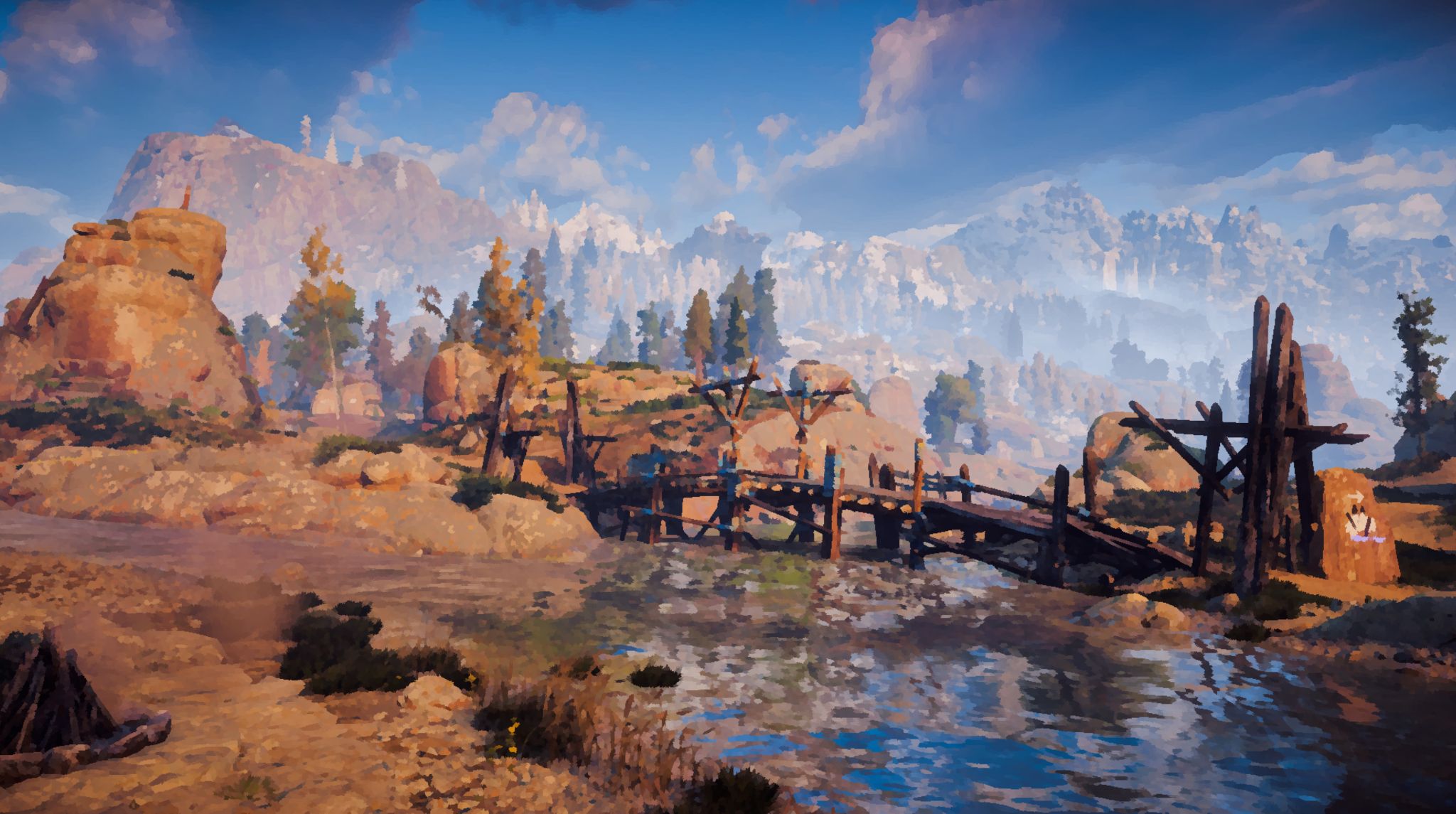
Visual Effect Creates a feature-preserving, painting-like flattening while avoiding clustering artifacts.
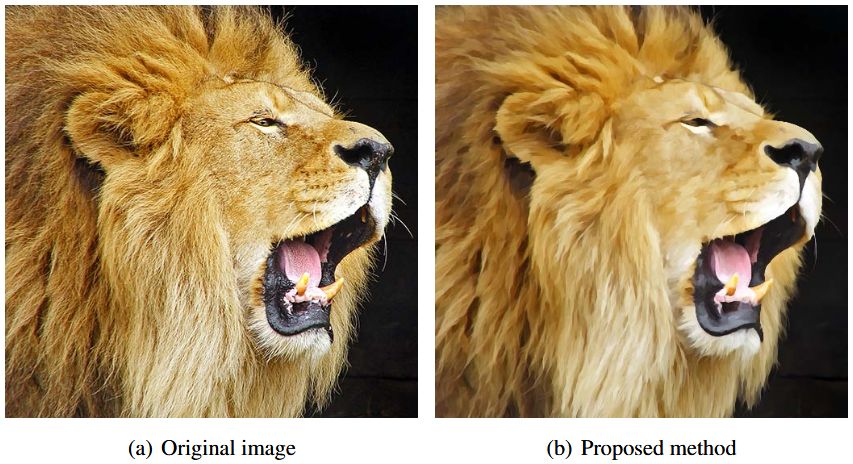
Reference: J. E. Kyprianidis et al., 2009
4. Literature Review: Adaptive Kuwahara
Dynamic Window Adjustment Adjusts window size based on local image properties, expanding as long as variance decreases.
Performance Benefits Preserves edges and reduces pixelation better than standard filters while maintaining high efficiency.
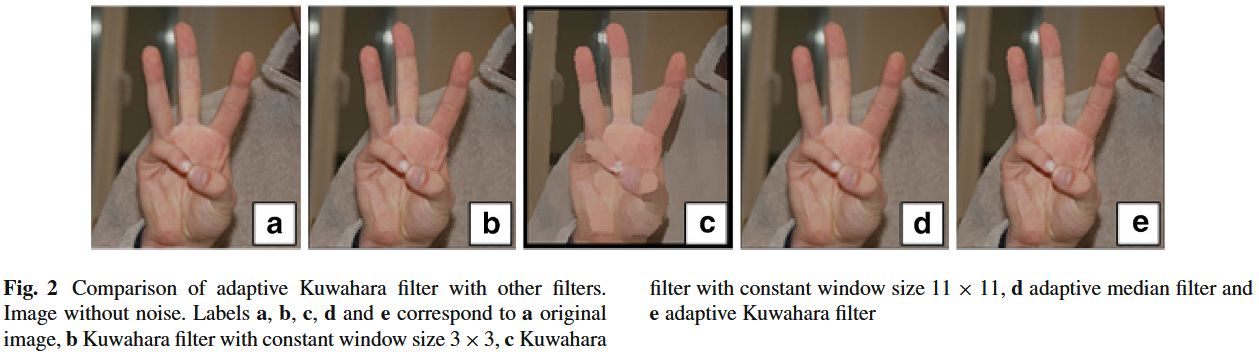
Reference: K. Bartyzel, “Adaptative Kuwahara filter,” 2015
5. Initial Prototype: OpenGL Implementation
Standalone C++17 Framework Before transitioning to Unity, we developed a high-performance prototype to validate the core filters.
Technical Stack
- Graphics API: OpenGL 4.6 (Core Profile)
- Window & Input: GLFW 3 + GLAD
- UI Framework: Dear ImGui (Docking Branch)
- Math & Utilities: GLM, stb_image
- Language: C++17 (Visual Studio 2022 / v143)
Key Features
- Compute-Focused: Primary implementation uses GLSL Compute Shaders for parallel variance analysis.
- Modular Design: Custom
Core::Application/Scenearchitecture for rapid filter prototyping. - Real-time Tuning: ImGui-driven parameter adjustment and shader hot-reloading.
6. The Paradigm Shift: From Image-Space to Geometry-Aware
Why leave the OpenGL prototype?
- The “Painterly Smear” Problem: Traditional image-space filters often “melt” object silhouettes, leading to a loss of visual clarity in 3D scenes.
- Infrastructure Overhead: Building a complete 3D environment (PBR, Lighting, Asset Loading) in pure OpenGL is a major distraction from core NPR research.
- The Unity Advantage:
- Native G-Buffer: Instant access to Depth, Normals, and Object IDs to anchor strokes to geometry.
- Silhouette Preservation: Object IDs allow us to prevent color bleeding and keep contours crisp.
- API Control: URP’s Render Graph enables precise multi-pass post-processing scheduling.
7. Final Implementation: Unity 6 & Render Graph
Modern Engine Integration Transitioned to Unity 6 to leverage advanced G-Buffer access and the Render Graph API for optimal GPU scheduling and resource management.
Technical Stack
- Engine: Unity 6 (6000.3.x)
- Pipeline: Universal Render Pipeline (URP 17.0.x)
- Framework: Render Graph API (Pass Recording)
- Shaders: HLSL / Compute Shaders (SM 5.0+)
Advanced Multi-Pass Architecture
- Semantic Masking (ObjectID): Custom pass for object-boundary awareness.
- Normal Pre-filter: Smooths geometric data to reduce high-frequency noise.
- Hybrid Temporal Tensor: Stabilizes orientation via Motion Vectors and History Buffers.
- Bilateral Anisotropic Kuwahara: The final painterly filter guided by depth and IDs.
8. Pipeline Overview
9. Core Enhancements
Geometry-Guided & Temporal Coherence
Depth & Normal Guidance
- Radius dynamically scales based on linear eye depth.
- Brush strokes naturally follow 3D curvature.
Masking & Temporal History
- Object ID Masking prevents color bleeding across characters.
- TAA-like history accumulation solves temporal flickering.
10. Structure Tensor Calculation
The “Brain” of Anisotropic Kuwahara
- Gradient Extraction: Uses Sobel kernels to find color gradients $I_x$ and $I_y$.
- Tensor Construction: Forms a symmetric matrix at each pixel: $S = \begin{pmatrix} E & F \\ F & G \end{pmatrix} = \begin{pmatrix} \langle I_x^2 \rangle & \langle I_x I_y \rangle \\ \langle I_y I_x \rangle & \langle I_y^2 \rangle \end{pmatrix}$ $\langle \cdot \rangle$ denotes local Gaussian smoothing.
- Eigen-Analysis:
- Eigenvalues ($\lambda_1, \lambda_2$): Define the local contrast.
- Eigenvector ($\vec{t}$): Provides the principal tangent orientation.
- Anisotropy ($A$): $\frac{\lambda_1 - \lambda_2}{\lambda_1 + \lambda_2}$ determines the “stretch”.
11. Parameter Tuning & Significance
| Parameter | Function | Artistic Impact |
|---|---|---|
| Radius | Window size | Controls the “scale” of abstraction. Larger = more painterly/broad. |
| Sharpness | Variance exponent | Higher values make edges crisper; Lower values make transitions softer. |
| Tuning | Anisotropy multiplier | Stretches the brush strokes along the edge. High = elongated strokes. |
| Temporal Blend | History weighting | Higher values stabilize the “boiling” effect in motion (TAA-like). |
Pro Tip: In our implementation, Tuning dynamically scales the sampling matrix, allowing the filter to “hug” the geometry edges without bleeding.
12. Full Demo Showcase
(Switch to Unity Editor for live demonstration)
13. Conclusion & Next Steps
Development Milestones
- Core Kuwahara algorithm logic implemented.
- Integrated real-time structure tensor calculation.
- Explored Geometry-Guided sub-region selection.
- Mitigated artifacts using Temporal Coherence.
Future Work
- Optimization pass for high-resolution 4K frame processing.
- Real-time brush texture synthesis (impasto normals).